A paediatric resuscitation simulator in three linked parts — a live patient monitor, an instructor console, and a defibrillator trainer — paired by a four-digit code. It runs across the room over the internet, or fully offline on one computer.
Free for training. No patient data — ever. Installs to any device, works offline.
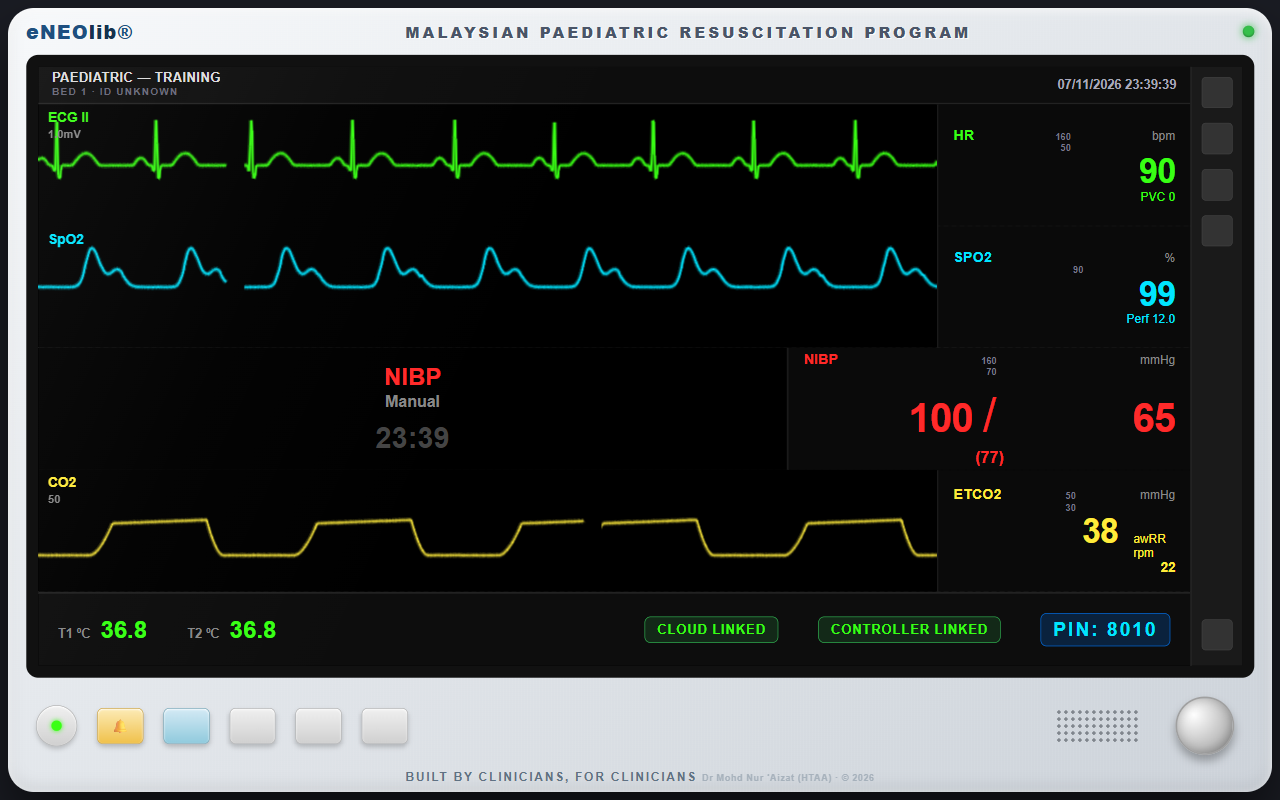
Devices link across the room over the internet, and directly on the same computer even fully offline. If the connection drops mid-scenario, the station keeps running.
The monitor on a laptop, television or projector; the instructor console on a phone; the defibrillator on a tablet. Nothing to buy, install or set up — every station opens in the browser.
Every station is watermarked for teaching. No patient is entered and nothing identifiable is stored — only the training state a station needs to run.
Electrocardiogram, oxygen-saturation waveform and capnography, with heart rate, blood pressure, temperature and alarms — driven live by the instructor. It boots like the real thing, sounds like the real thing, and shows the four-digit pairing code the other stations connect with.
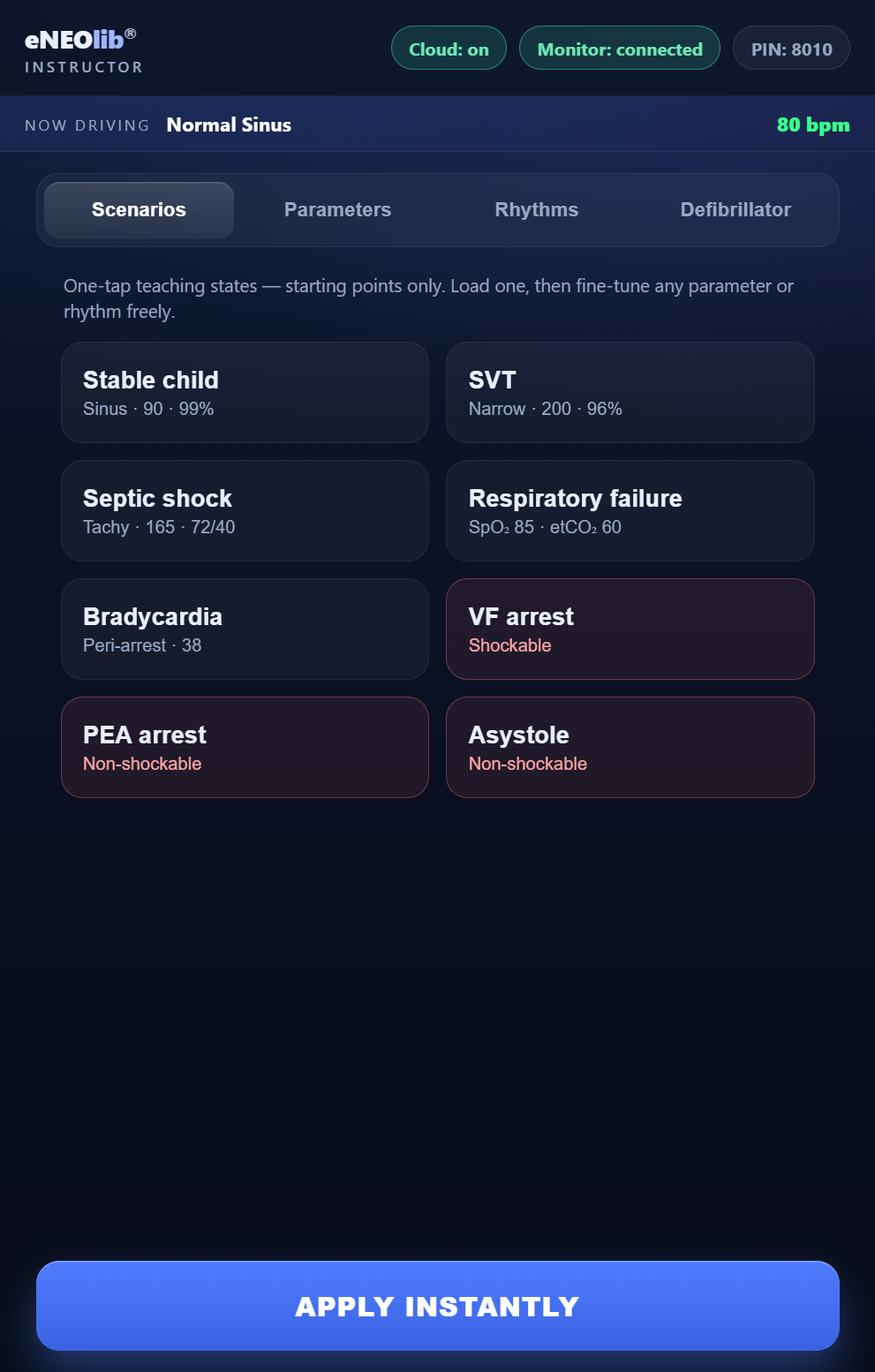
One tap loads a teaching state — stable child, supraventricular tachycardia, septic shock, respiratory failure, bradycardia, or an arrest — then fine-tune any rhythm or vital sign live. The console mirrors and can sabotage the defibrillator, and keeps the shock log for debrief.
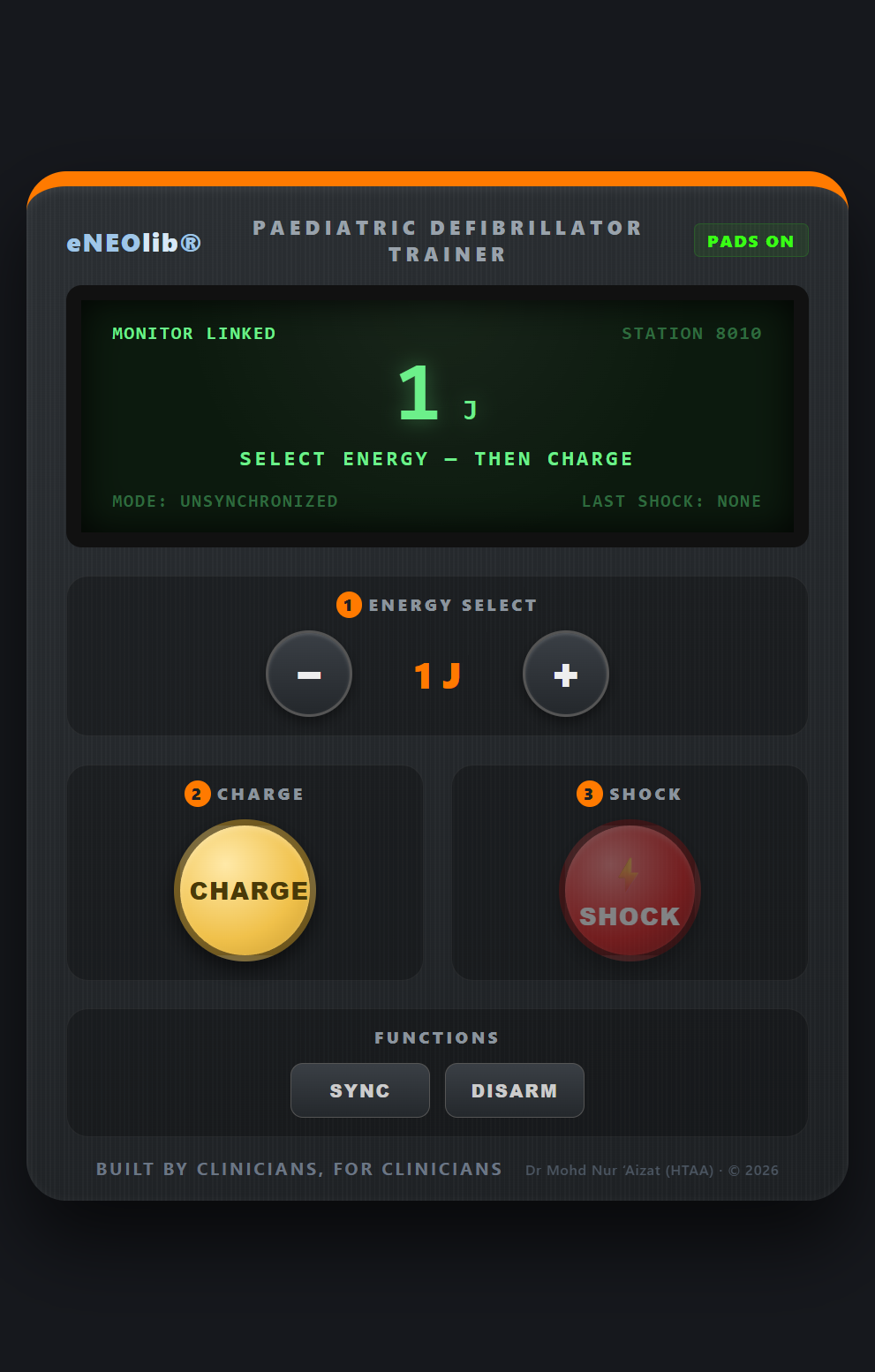
A manual defibrillator trainer: select the energy in joules, charge, and deliver the shock, with synchronised mode for cardioversion. It pairs to the same station, so a delivered shock lands on the monitor and the instructor's log — the way it would in a real resuscitation.
Each station has its own code, so several stations run side by side without ever crossing wires.
Open the Patient Monitor on the station screen and touch to power on. It shows a four-digit code — 8010
On the instructor's phone and the tablet, enter that code once. Both connect to the monitor instantly.
Load a teaching state and go. Waveforms, alarms and shocks all move together, across the room or fully offline.
Start with the Patient Monitor to get the pairing code, then open the others on their own devices.
Add the simulator to your home screen or desktop and it opens instantly, in its own window, and keeps working with no signal — ready for the next course day. Installing is optional; everything works the same as a website.
On iPhone or iPad, use Share → Add to Home Screen. Each station can also be installed from its own screen.